
Mod 配置页
每个 mod 都可以有自己的配置页,从 Mod 查看器里它那一行打开。BepInEx 插件靠 Config.Bind 过的条目自动生成;也可以通过实现 IModConfig 进行自定义布局设置。
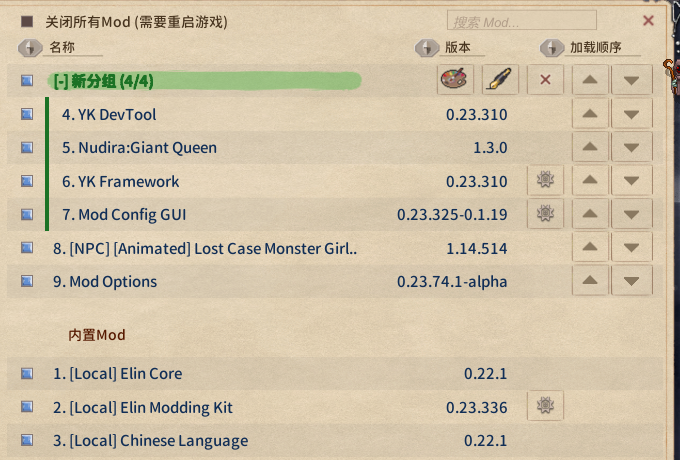
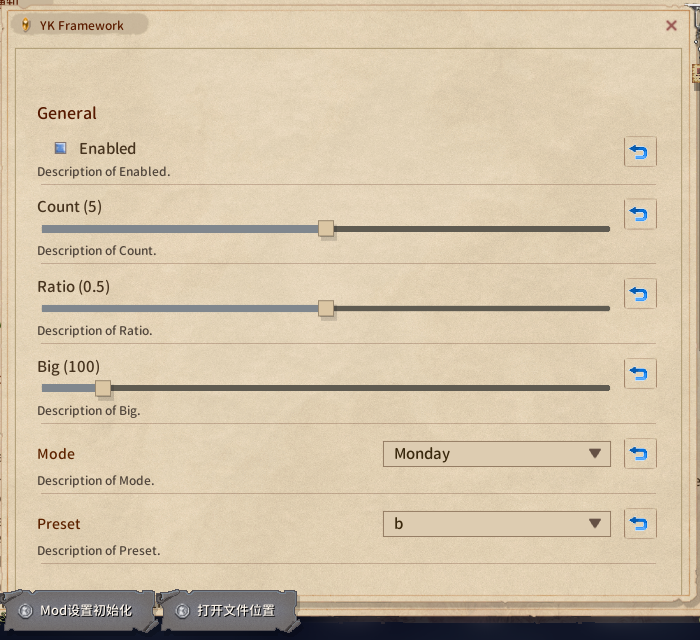
生成的页面:
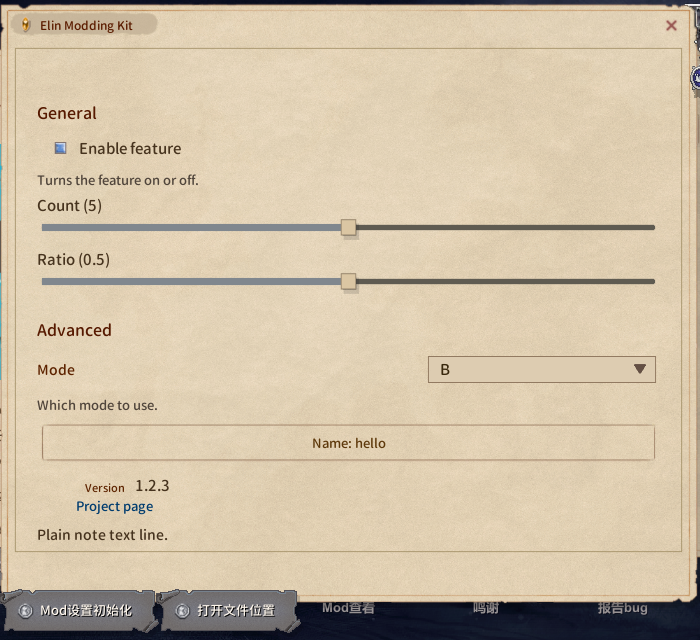
自己排版:IModConfig
插件实现 IModConfig 不再自动生成页面: OnBuildConfig:
扩展(using EModding;) | 得到什么 |
|---|---|
note.AddAll(Config) | 整个自动生成的页面,含分节 |
note.Add(entry) | 一条,控件按类型决定 |
note.AddSlider(entry, min, max, label = null) | 用这里给的区间出滑条,不管条目自己声明了什么;值在区间外时显示夹紧值,拖动前不改它 |
note.AddDropdown(entry, values, label = null) | 用这组候选出下拉,任何条目类型都行;当前值不在候选里时排在第一项 |
它们都直接读写条目、遵守 SaveOnConfigSet,标签走 Lang.Get。页面每次显示都会重建,所以不要缓存控件引用;不是 ConfigEntry 的状态放在自己的字段里,在回调中读写。
cs
using System.Collections.Generic;
using BepInEx;
using BepInEx.Configuration;
using EModding;

[BepInPlugin("author.example", "Example", "1.0.0")]
public class ExamplePlugin : BaseUnityPlugin, IModConfig {
	public ConfigEntry<bool> enabled;
	public ConfigEntry<int> count;
	public ConfigEntry<string> preset;
	public string mode = "B", name = "hello";

	void Awake() {
		enabled = Config.Bind("General", "Enabled", true);
		count = Config.Bind("General", "Count", 5);
		preset = Config.Bind("General", "Preset", "b");
	}

	public void OnBuildConfig(UINote note) {
		note.AddHeader("General");
		note.Add(enabled);                                   // 开关
		note.AddSlider(count, 0, 100, "How many");           // 滑条,不需要 AcceptableValueRange
		note.AddDropdown(preset, ["a", "b", "c"]); // 固定候选

		note.AddHeader("Advanced");

		// 不是 ConfigEntry 的值用普通的 UINote 方法
		var modes = ["A", "B", "C"];
		var dd = note.AddDropdown("Mode");
		dd.SetList(modes.IndexOf(mode), modes, (m, i) => m, (i, m) => mode = m, false);
		note.AddText("Which mode to use.", FontColor.Passive);

		UIButton b = null;
		b = note.AddButton("Name: " + name, () => Dialog.InputName("Name", name, (cancel, text) => {
			if (cancel) return;
			name = text;
			b.mainText.text = "Name: " + text;
		}, Dialog.InputType.Chat));

		note.AddTopic("Version", Info.Metadata.Version.ToString());
		note.AddButtonLink("Project page", "https://example.com/");
	}
}只想在自动页面后面加几个东西?先写 note.AddAll(Config);,然后往后追加。
想让自己的状态也参与重置按钮,把委托追加到包的 onResetConfig 上。BepInEx 条目的重置已经挂好了(Config 里所有条目,不管有没有画在页面上),这里只处理你自己的:
cs
void Start() {
	var pkg = ModUtil.FindFileProviderPackage(new FileInfo(Info.Location));
	if (pkg != null) {
        pkg.onResetConfig += () => mode = "B";
    }
}UINote 速查
| 方法 | 得到什么 |
|---|---|
AddHeader(string) / AddHeaderTopic(string) | 分节标题(自动页面用的就是它)/ 小标题 |
AddToggle(string label, bool isOn, Action<bool>) | 开关,返回 UIButton(interactable 可禁用) |
AddSlider(float value, Func<float,string> action, float min = 0, float max = 1, bool isInt = false) | 滑条,action 写值并返回标签,构建时也会用夹紧到区间的初始值调用一次,返回 Slider |
AddDropdown(string label) | 左标签右下拉,返回 UIDropdown,用 SetList(index, list, getName, onChange, notify: false) 填 |
AddButton(string text, Action) | 整行按钮,返回 UIButton |
AddText(string) / AddText(string, FontColor.Passive) | 正文,自动换行撑高;"NoteText_small" 是固定 20px 的单行小字,多行会溢出 |
AddTopic(string label, string value) | 左标签右值 |
AddButtonLink(string text, string url) | 链接 |
Space(int height) | 空行 |
AddImage(Sprite) / AddPrefab(string path) | 图片 / 自带 prefab |