I Need More Space
Default canvas size of 128x128 may not satisfy your drawing needs.
When using a larger canvas, make sure it's center aligned (pivot at center):
| 128x128 | 256*256 |
|---|---|
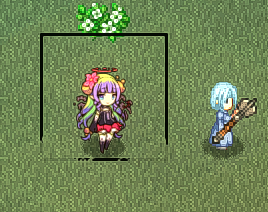 | 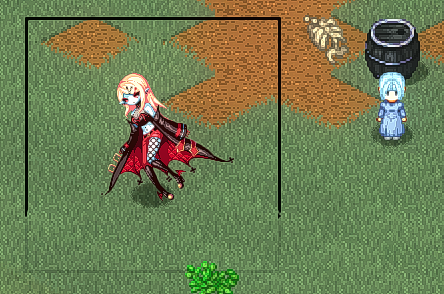 |
For your characters and items to display correctly as icons and avatars, adjust pivotX, pivotY, and scaleIcon accordingly in the pref file.
- For example, if the avatar on the resident board is misaligned, adjust the settings mentioned above.
A bigger canvas, or a sharper sprite?
Enlarging the canvas makes your sprite take up more space in game, which is what this page is about.
If what you want instead is the same size at a higher resolution, keep the canvas proportions and declare the density with scaleTex: a 256x256 texture with scaleTex = 200 renders exactly as large as a 128x128 one, only sharper, and none of your other pref values need retuning.
256 Art by Veila